SSH & RDP in the browser
Terminal and remote desktop with no VPN and no extra software on the engineer's machine.
A PAM platform for Linux and Windows servers
Control SSH and RDP access to your servers in one place. Bastion provides time-limited access approvals, session recording and automated password rotation. Centralised server patching is built into the same platform. The server runs in your network and agents connect outbound only, with no open inbound ports.
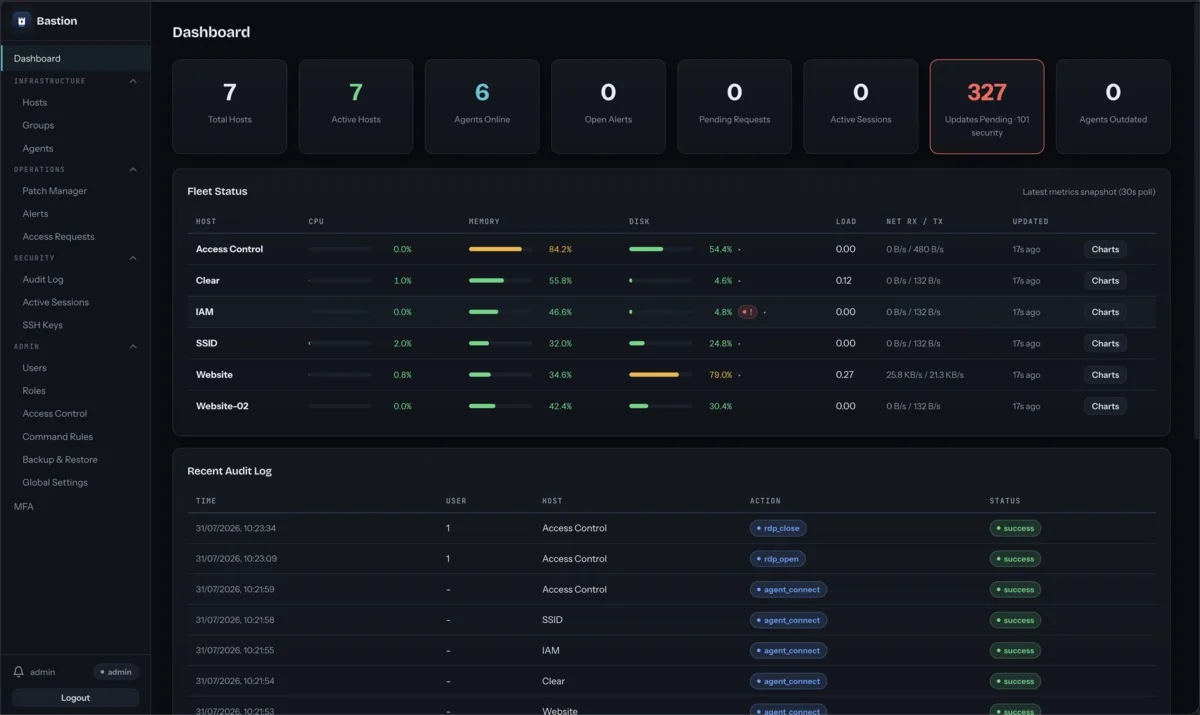
Connection model
A Bastion agent runs on every managed server and itself initiates the connection to the central server in your infrastructure. Because only an outbound connection is used, you don't need to open any new inbound ports. Administrators manage access, session recordings and approvals conveniently in the browser.
Access workflow
An engineer picks a server and requests access for a set window.
An administrator approves or denies the request. The decision is logged to the audit trail immediately.
The SSH or RDP session opens right in the browser. Everything is recorded and, when needed, watched in real time.
When the time is up, access cuts off automatically. The recording and audit logs are kept for later review.
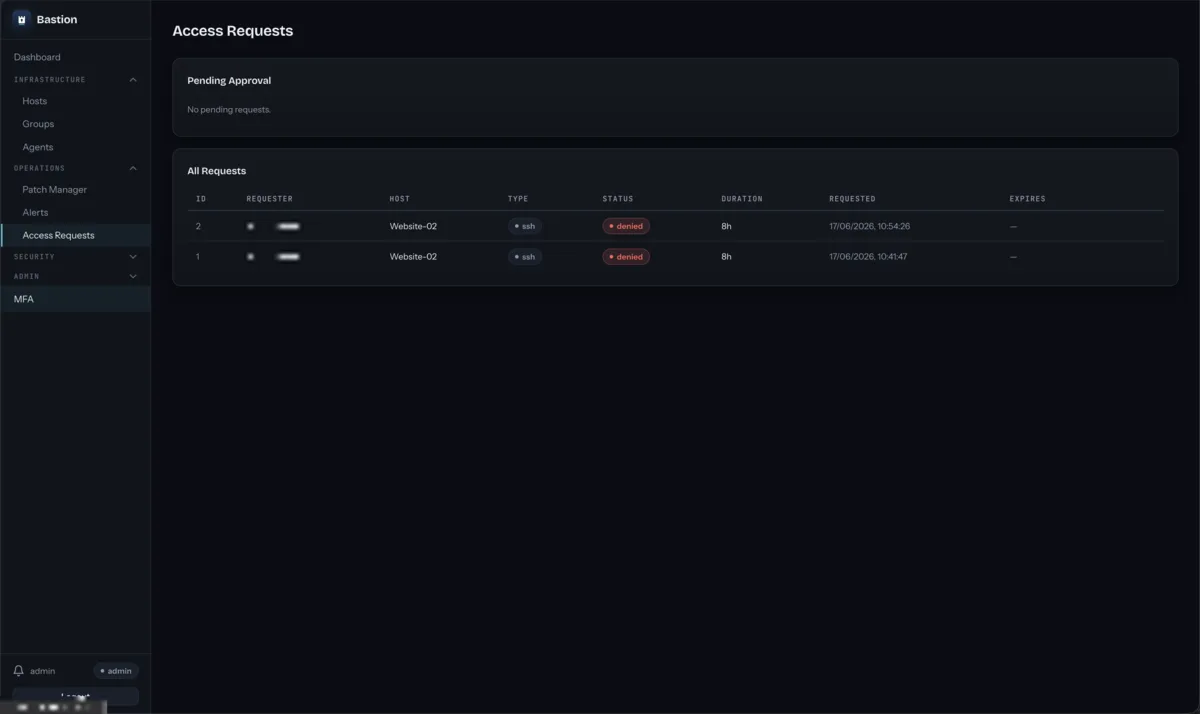
Capabilities
Terminal and remote desktop with no VPN and no extra software on the engineer's machine.
Access is granted only when it is needed and switches off by itself.
Every SSH and RDP session is recorded for security incident investigations.
Administrators can watch an active session in real time.
Account passwords are rotated automatically and only ever stored encrypted.
Events are chained together, so logs cannot be quietly altered.
Audit events feed straight into the SIEM system you use.
Roles define precisely who sees which servers and who may connect to them.
Product screens
Real screens from a working environment. Some data is redacted.
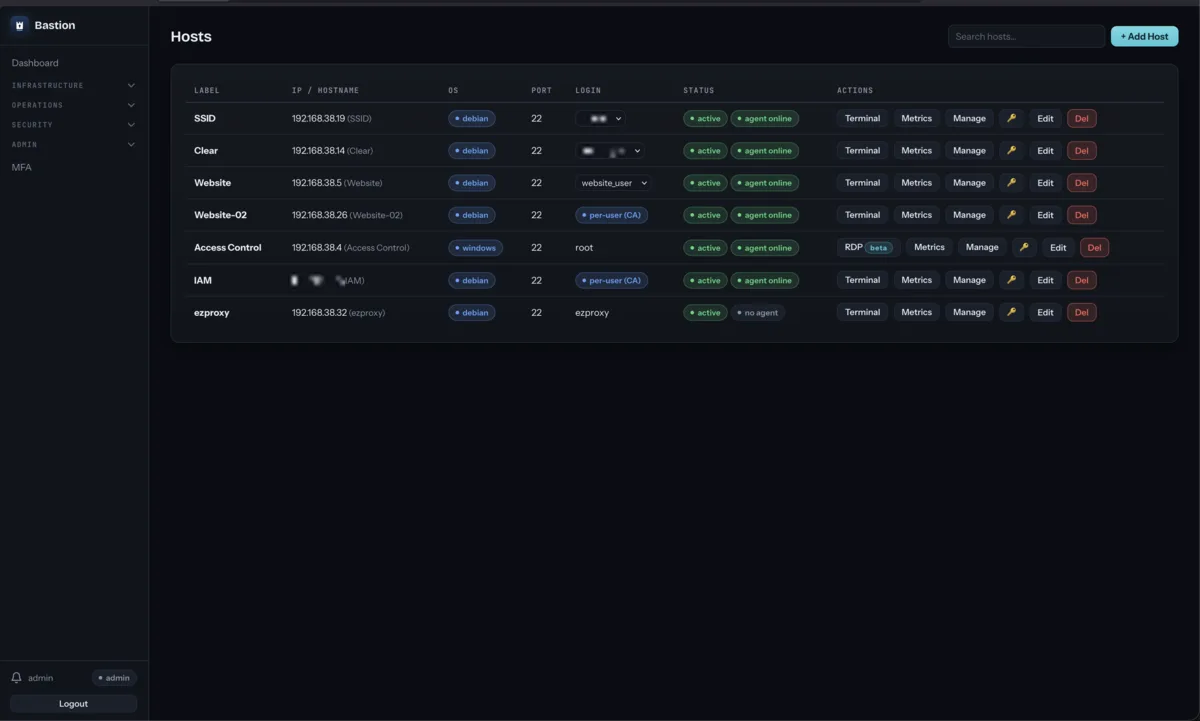
Managed Linux and Windows servers, login accounts and agent status in one view. The terminal or RDP desktop opens from here.
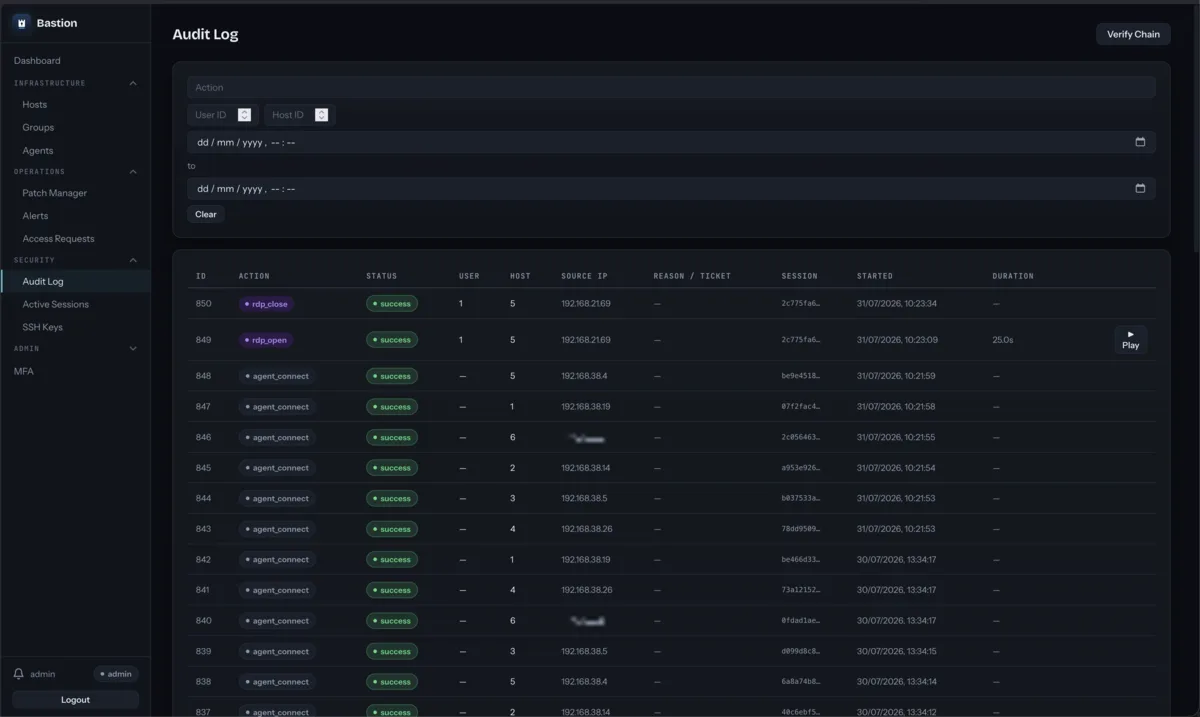
Every connection and action with source IP, session ID and timestamp. A recorded session plays back straight from the log row.
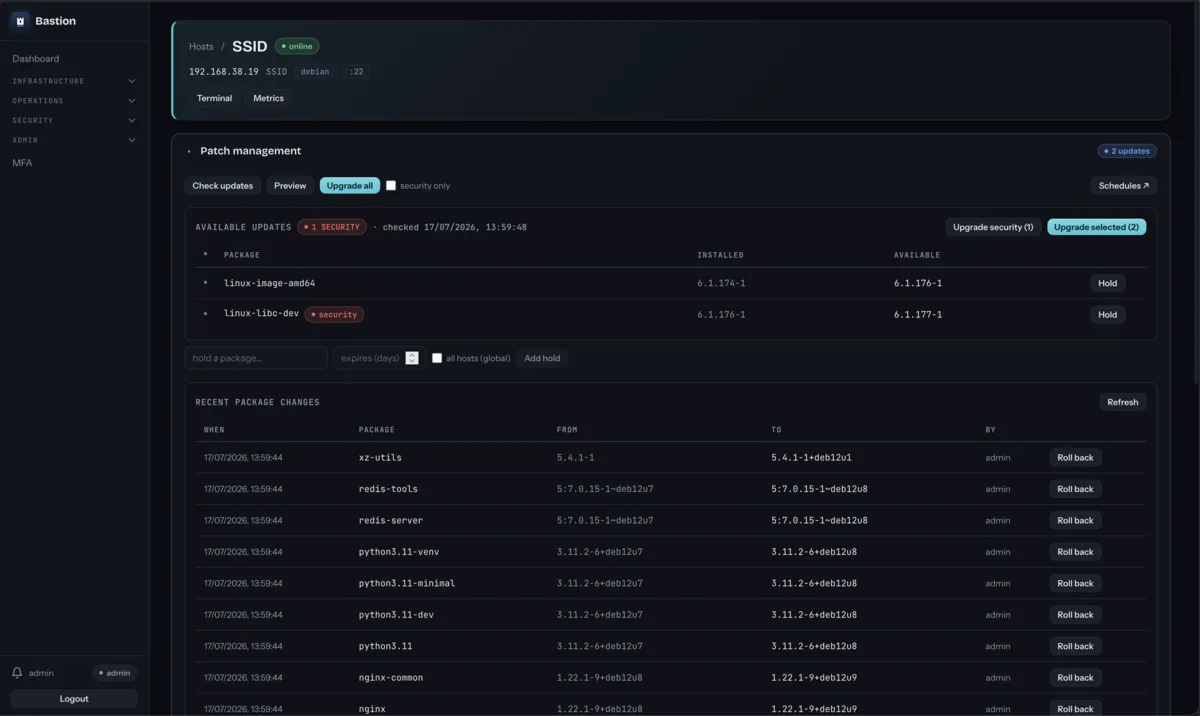
Available updates with security labels, package holds, and a history of recent installs with the option to roll a version back.
Server maintenance
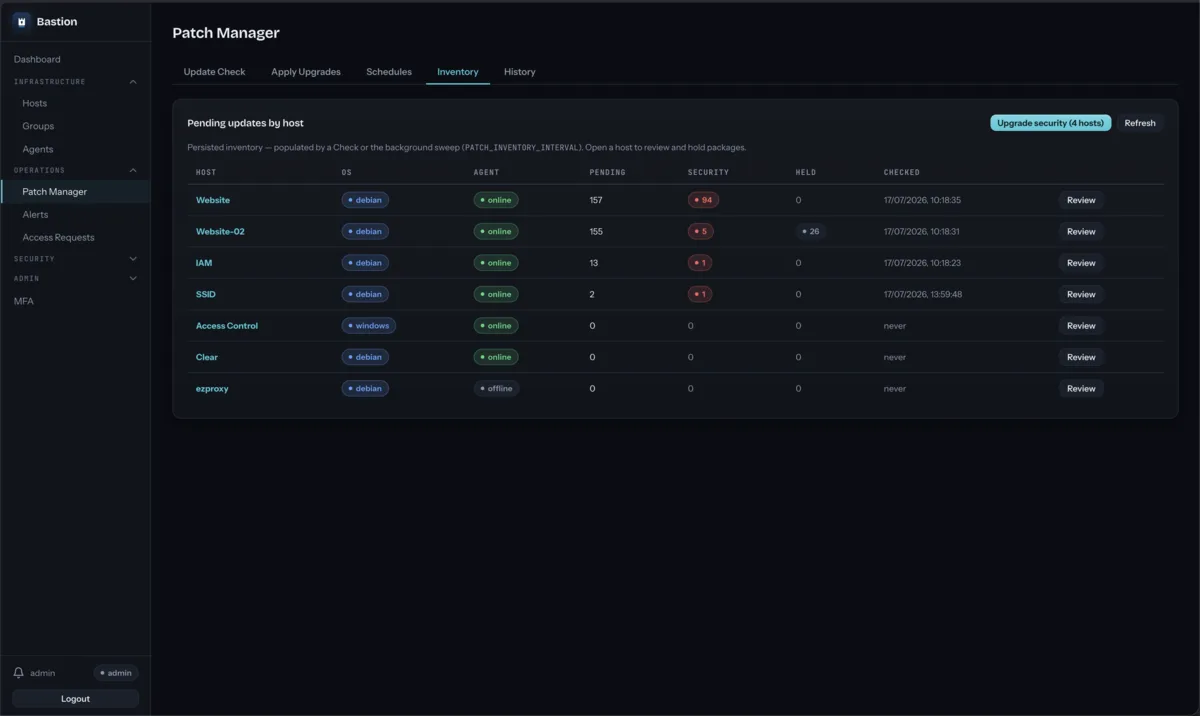
Missing Linux package and Windows Update patches appear in a single overview. The system shows pending packages, security severity and the date of the last check. Rollout starts centrally, so a separate patching tool is simply unnecessary.
Why Bastion
A PAM solution for teams that don't need a heavy, multi-module enterprise platform. Session recordings, temporary access and a linked audit trail deliver traceability and help meet the requirements of the NIS2 directive.
| Feature | Manual VPN / jump-host process | Separate access and patching tools | Bastion |
|---|---|---|---|
| Granting access | VPN accounts and keys are administered by hand. | Permissions are coordinated across several systems separately. | Request and approval in one interface. Access is time-limited. |
| Session visibility | Recordings usually don't exist; you rely on server logs alone. | Session capture may require a separate tool. | SSH/RDP sessions are recorded. Replay and live viewing available. |
| Audit trail | Data is scattered across several devices and hops. | Each tool writes its own logs; the full picture is hard to stitch together. | One linked log with direct SIEM export. |
| Patching | Installed by hand or with assorted scripts. | A separate patch-management system is needed. | Linux and Windows updates managed in the same interface. |
| Deployment footprint | Requires network and firewall configuration. | Several different systems, each needing its own upkeep. | One binary and unobtrusive agents that connect to the server on their own. |
This comparison is a generalisation: the exact flow depends on your current infrastructure.
Getting started
One binary and a MariaDB database on your virtual machine is enough.
The agent connects to the central server on its own, so no inbound firewall ports need opening.
Sign in through the browser, approve the first access request and review its recording in the audit log.
Technical questions
No. The agent initiates an outbound connection to the Bastion server, so no inbound ports need to be opened for Bastion.
You deploy the Bastion server in your own infrastructure, on a virtual machine with a MariaDB database. Session recordings and the audit log stay in your network.
No. The SSH terminal and RDP desktop open in the browser.
An engineer submits a request and an administrator approves or denies it. When the window ends, access switches off automatically, and both the request and the decision remain in the audit log.
Yes. SSH and RDP sessions are recorded; replay them later or watch a session live.
Yes, audit log events export to the SIEM you use.
Agents install on Linux and Windows servers; patching covers Linux packages and Windows Update. For specific versions, write to us.
Price and scope are discussed during the trial deployment, based on your server count and environment.
Trial deployment
We'll show how Bastion works and discuss your server estate, access processes and the scope of a trial project.
We are looking for IT teams and MSPs managing 20 or more servers.